
Platforms
Timelee for iPhone and iPad
An iPhone is very good at keeping quiet. Focus modes, a silent switch, a lock screen that batches everything into one tidy stack. Timelee is built for the handful of reminders a week that should get past all of that.
The four ways an iPhone reminder goes missing
None of these are faults. They are the phone working correctly, and they are also the reason a reminder that mattered did not reach you.
A Focus mode was on
Work, Sleep, Driving, Personal. You set them up so the phone would stop interrupting, and it did exactly that, including for the thing you actually needed.
It landed in the stack
Your lock screen at 6pm is a pile: two group chats, a delivery update, a game asking you back, and somewhere in there, take the tablet. One gesture clears the pile.
The phone was in another room
Charging in the hall while you cook. A notification fired perfectly on a device nobody was holding, and nothing happens next.
You cleared it before reading it
The swipe is faster than the reading. It was delivered, it was even seen, and by the time you were awake to it, it was gone.
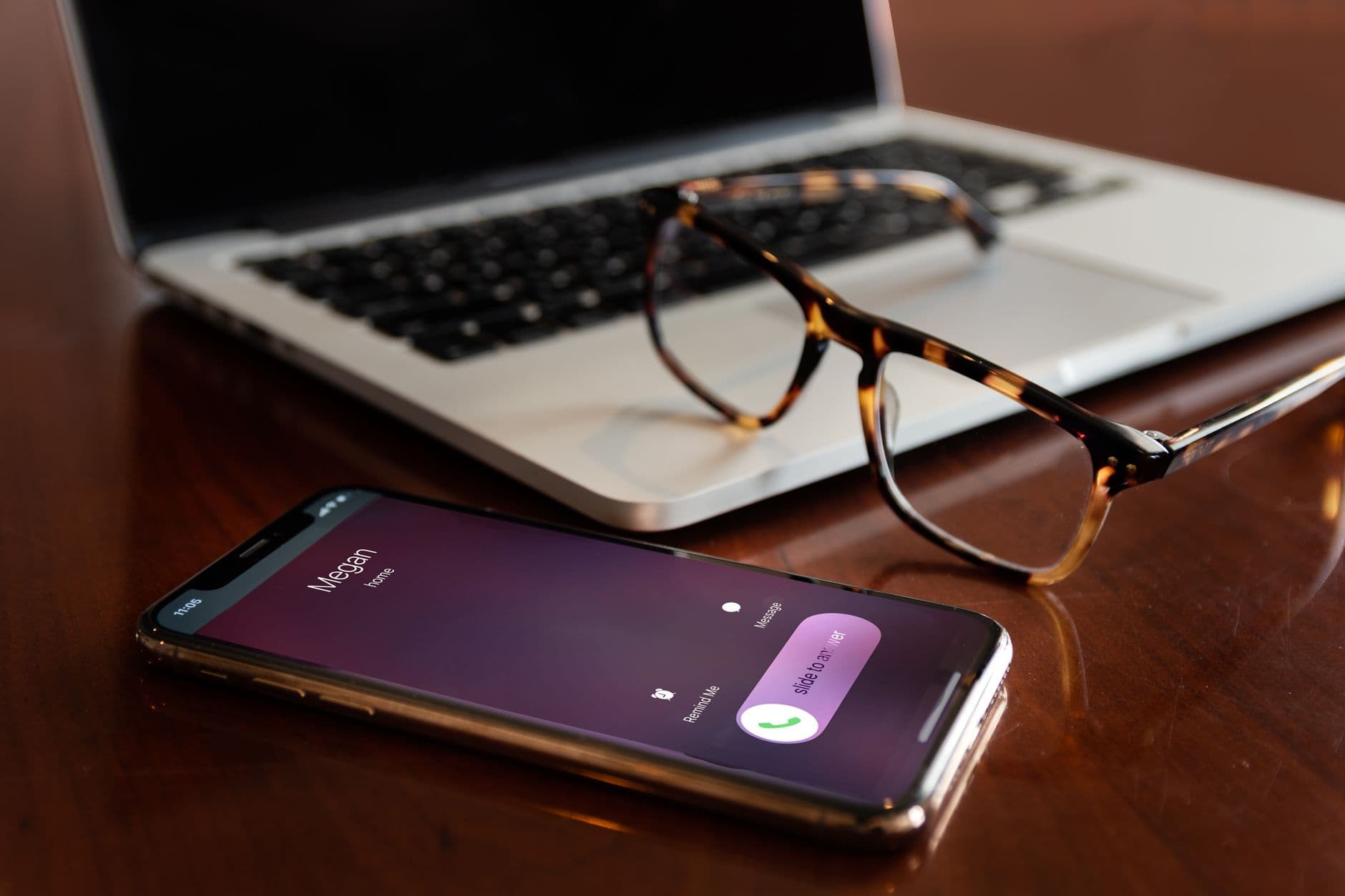
A ringing screen gets a different reflex
You do not swipe away a call. You look at who it is first. That reflex is twenty-five years old and it is stronger than anything an app can teach you, so Timelee borrows it rather than fighting it.
An App Call rings full screen inside Timelee, like an incoming call, at the time you set. You still dismiss it with a tap — but you dismiss it knowingly, which is the entire point. It costs nothing and it is the app's recommended default.
When even that is not enough, the last rung leaves the phone altogether. Timelee's servers place a real phone call to a number you have verified. It rings on the network, so it does not care whether the app is open, the screen is locked, or a Focus mode is running.
- App Call is free and needs only that Timelee is installed
- A real phone call works with the app closed and the phone locked
- A call can be pointed at somebody else's verified number
- Escalation only happens if you did not acknowledge the earlier rung

What you get on iPhone and iPad
The same reminder kinds as everywhere else, with capture that uses the hardware in your hand.
Call-style delivery
Full-screen in-app calls, and real phone calls placed server-side to a verified number when a reminder cannot be missed.
Voice capture
Record the context you would never type. The clip plays back from the reminder when it fires.
Photo capture
Attach the label, the shelf, the form, the bay number. Several photos can ride on one reminder.
Place reminders
Arrive or leave triggers, watched by a geofence on the phone, pausable without deleting the reminder.
Medication
Name, type, colour, a photo of the box and the dose per time, with Morning through Night presets.
32 languages
Including Arabic, Hebrew, Urdu and Persian laid out right to left. The spoken phone call follows your language too.
Test it once before you rely on it
How your handset treats silent mode, Do Not Disturb and each Focus mode is decided by your own iOS settings, not by Timelee. Set a reminder two minutes ahead, put the phone the way it usually is, and watch what happens. It takes a minute and it is the only way to know what your phone will do at 3am.
Setting it up properly the first time
Five minutes now, and the reminders behave the way you expect for the next year.
Sign in with Google
There is no Timelee password to create. Apple sign-in is listed in the app and marked as coming — it is not live yet, and we will not pretend otherwise.
Allow notifications
Without this, neither the alarm nor the in-app call has anywhere to appear. Allow them, then decide per reminder how loud each one is permitted to be.
Decide about location
Only needed if you use place reminders. A geofence has to be able to watch for you arriving, which is a permission worth granting deliberately rather than by habit.
Verify your phone number
A one-time code confirms the number before Timelee will ever ring it. Do it once and phone-call delivery is available on any reminder you choose.
Set one real reminder
Not a test — something this week you would rather not miss. Put it on Important or Critical and see how the ladder behaves.
The alarm you missed becomes the call you cannot.
Nothing escalates by default. You pick, per reminder, how much this one is worth — and the ladder ends the moment you acknowledge it.
Questions about Timelee on iOS
Will a reminder get through a Focus mode?
A real phone call rings over the phone network rather than as a notification, which is the reason it reaches you when an alert would not. How your iPhone treats alarms and in-app calls under each Focus mode depends on your own settings, so test it once with a reminder set two minutes ahead.
Can I sign in with Apple?
Not yet. Apple sign-in appears in the app marked as coming and is not live. Sign in with your Google account, which is the same account the web dashboard uses.
Does Timelee replace Apple Reminders?
Only if you want it to. Apple Reminders is good at lists and is already on the phone. Timelee's difference is delivery: a second and third route to you when a notification fails. Plenty of people run both.
Do reminders I create on the web appear on my iPhone?
Yes. They sync to your account and the phone schedules and rings them. Building a complicated reminder on a keyboard and letting the phone deliver it is the intended way to work.
Can Timelee call someone who does not have an iPhone, or the app at all?
Yes. A phone call reminder is placed on the phone network, so the person at the other end needs no app. Their number has to be verified with a one-time code first.
Pick the two things a week that deserve to ring
Sign in with Google and set your first reminder in about a minute. Free to start. Phone calls use credits.
Keep reading
- Get TimeleeAndroid, iOS, or sign in on the web.
- Timelee for AndroidThe same app, and what Android does differently.
- Timelee and Apple RemindersWhat each one is genuinely good at.
- Best reminder apps for iPhoneWhat iOS allows, and how apps handle it.
- How Timelee reaches youAlarm, in-app call, real phone call.