
Roundup
Reminder apps on iPhone, and what iOS allows
On an iPhone the constraint is not which app you choose. It is that iOS decides what any app is allowed to do to a locked, silenced phone — and every option here is working inside the same rules.
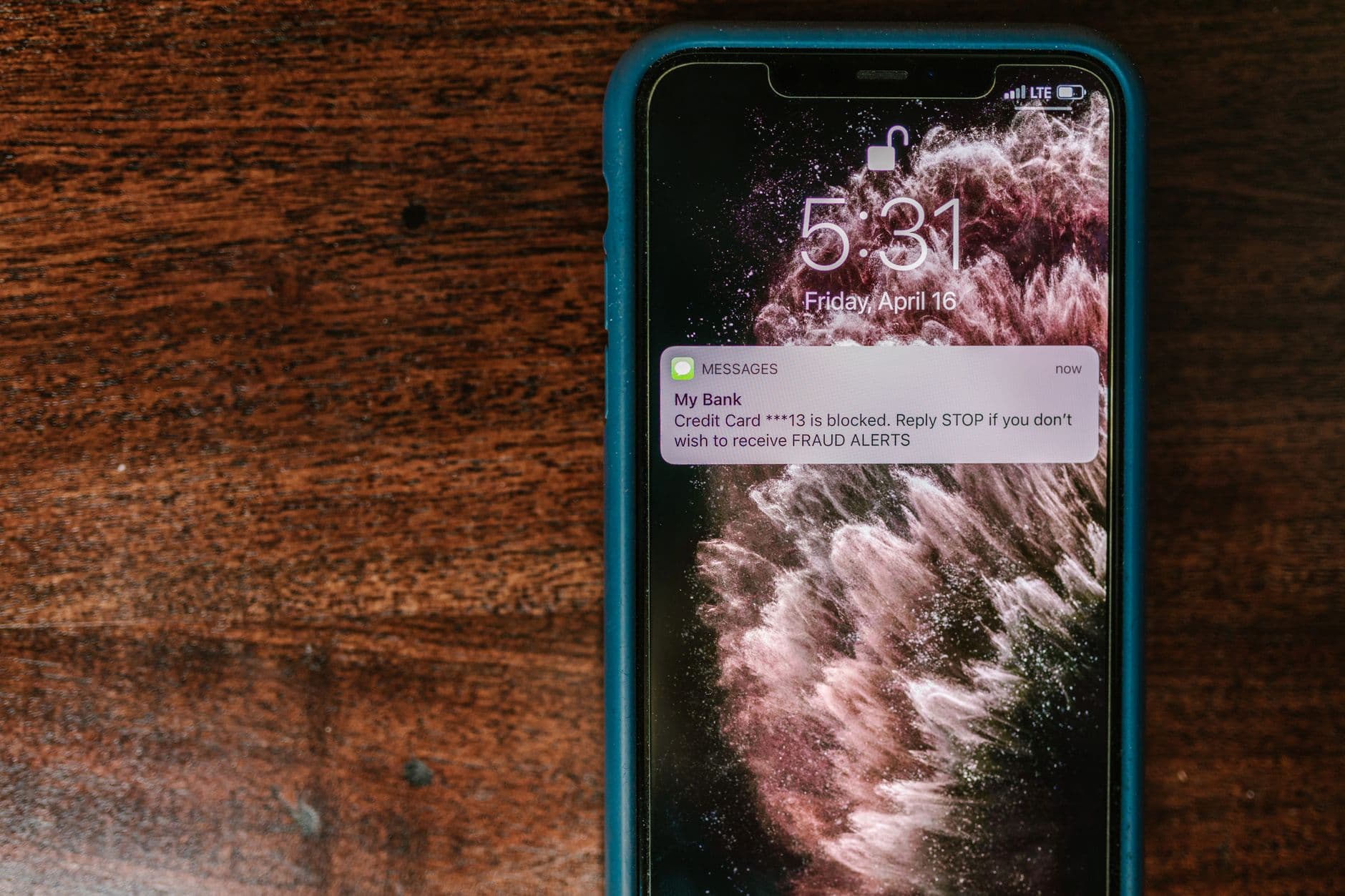
What iOS lets the best reminder apps do
iOS is deliberately protective of your attention. An app cannot decide on its own to take over a locked screen, it cannot run freely in the background to wait for a moment, and the ways it may make noise on a silenced phone are limited and defined by the system rather than the developer. That is a reasonable design and it is why an iPhone is a calmer device than it might otherwise be.
The consequence for reminders is that most apps arrive the same way, because there is one main way to arrive. Two reminder apps on an iPhone differ mostly in how they help you organise, not in how hard they can try at 6pm. Anyone promising you a notification that iOS will treat differently from every other notification is describing something the platform does not offer.
Two mechanisms do sit outside that. Notification settings you control yourself — Focus, time sensitive delivery, per-app permissions — decide a great deal, and they are worth ten minutes of your time whichever app you use. And a real phone call arrives on the phone network rather than through iOS's notification system, which is a different route entirely.
Why the last one failed on your iPhone
Three of these are settings. One of them is not fixable by settings at all.
A Focus was on
A work or sleep Focus was filtering the app and you never knew. This is the most common cause on an iPhone, and it is entirely fixable in Settings once you know where to look.
It was not marked time sensitive
Notifications that are not allowed to break through arrive quietly, grouped, and often later. Per-app notification settings decide this, and the default is not always what you want.
It arrived with thirty other things
Even a perfectly configured notification lands in a stack. You clear the stack in one gesture, and nothing about yours looked different from a game asking you to come back.
The phone was in another room
No notification setting solves this one. If the device was in a coat and you were at a laptop, the only thing that could have reached you is something that does not use the device's screen.
The kinds of app, and who each one suits
Apple Reminders. Already on the phone, already signed in, reachable by voice, and shared across an iPhone, an iPad and a Mac without configuring anything. For a household that is entirely on Apple hardware and whose reminders are ordinary, this is the right answer and switching would cost you convenience for little gain.
Task managers. Todoist, TickTick, Things-style apps and their peers are strong on iPhone and built for volume: projects, tags, planning views, natural language date entry. They suit people whose difficulty is deciding what today looks like out of a large backlog, rather than being reached at a specific minute.
Quick capture apps. Google Keep and similar tools exist to get a thought out of your head in three seconds. They suit people whose failure is capture and who will open the app anyway.
Specialists. Wake-up apps for the morning, medication apps for a regimen. When one narrow problem dominates your week, a tool built only for it generally beats a general one, on any platform.
Delivery-first reminder apps, including Timelee. On iOS these work within the same notification rules as everything else for their alarm and in-app call, and then go outside them for the last channel: a real phone call, placed by Timelee's servers to a number you verified, arriving on the phone network. That is the one route that is not subject to Focus, to notification settings, or to whether the app is running.
The one channel iOS does not gate
An alarm and an in-app call are still your phone deciding whether to make a noise. A phone call is not. Timelee's server places an actual call on the network, so it rings when the iPhone is locked, when Timelee is closed, and when you are at a desk with the phone in a coat on the back of a chair.
The Critical preset is described in-product as "Alarm, then in-app call, then a phone call 10 min later if missed". Nothing escalates unless the earlier rungs went unanswered, and the ladder stops the moment you acknowledge it. Most of your reminders should never go anywhere near it — the loud channels only keep working because you use them rarely.
A call can also be pointed at somebody else's number once they have verified it with a one-time code, which is how people remind a relative who does not use apps at all.
- Arrives on the phone network, not through iOS notifications
- Works with the phone locked and the app closed
- Only ever dials a number its owner has verified

The ten-minute iPhone setup worth doing first
- Open Settings, find the app, and check what its notifications are actually allowed to do
- Decide whether it should be allowed to break through a Focus, and set that deliberately
- Set a reminder two minutes ahead and watch what happens on the lock screen
- Repeat that test with the ring switch off and the phone face down
- Cut the number of other apps allowed to interrupt you, so the ones that matter are audible again
About the descriptions on this page
iOS behaviour changes with each release, and every app named here changes too. Nothing on this page quotes a vendor's price, feature list or limits, and none of it is a ranking. Check the vendor's own site, and test on your own handset, before you decide.
Common questions
Why do my reminders not appear when my iPhone is locked?
Usually a Focus mode or the app's own notification settings. Check both in Settings, decide whether the app should be allowed to break through, and then test with a reminder set two minutes ahead rather than assuming it is fixed.
Can any app ring through silent mode on an iPhone?
An alarm behaves like an alarm rather than a notification, and a real phone call arrives on the phone network. Everything else is subject to your own notification and Focus settings, which is a platform decision rather than an app one. Test it on your handset.
Should I switch away from Apple Reminders?
Not by default. It is free, already set up, deeply integrated and reachable by voice. Look elsewhere when something specific breaks: a household that is not all on Apple hardware, a reminder that has to reach somebody else, or something you missed because your phone was silent or in another room.
Does Timelee work on an iPad?
Yes, and on the web, and on Android, all on one account. A reminder created in any of them appears in the others. Some things — a geofence, a tone, an attached photo — need a phone to fire them.
What does Timelee cost on iPhone?
The core is free: reminders, alarms, repeats, pre-alarms, nags, categories, tags, sharing and the web dashboard, in 32 languages. Only real phone calls use credits, and those are bought inside the app on the App Store.
Fix the settings, then decide whether you need more
Most iPhone reminder failures are a Focus mode. If you have already fixed that and things still slip, the problem is the channel.
Keep reading
- Timelee for iPhone and iPadWhat ships on iOS, and how it fires.
- Timelee and Apple RemindersThe app that came with the phone.
- Reminder apps worth looking atOrganised by who each one suits.
- Phone call remindersThe channel iOS does not gate.
- When notifications are blockedFocus modes and the settings behind them.