
Health routines
Medication reminders that do not stop at a notification
The dose people miss is almost never the 08:00 one. It is the 18:00 one, because 18:00 is cooking, homework, the door going and a phone on a worktop two rooms away. A medication reminder app has to be able to reach you at that specific moment.
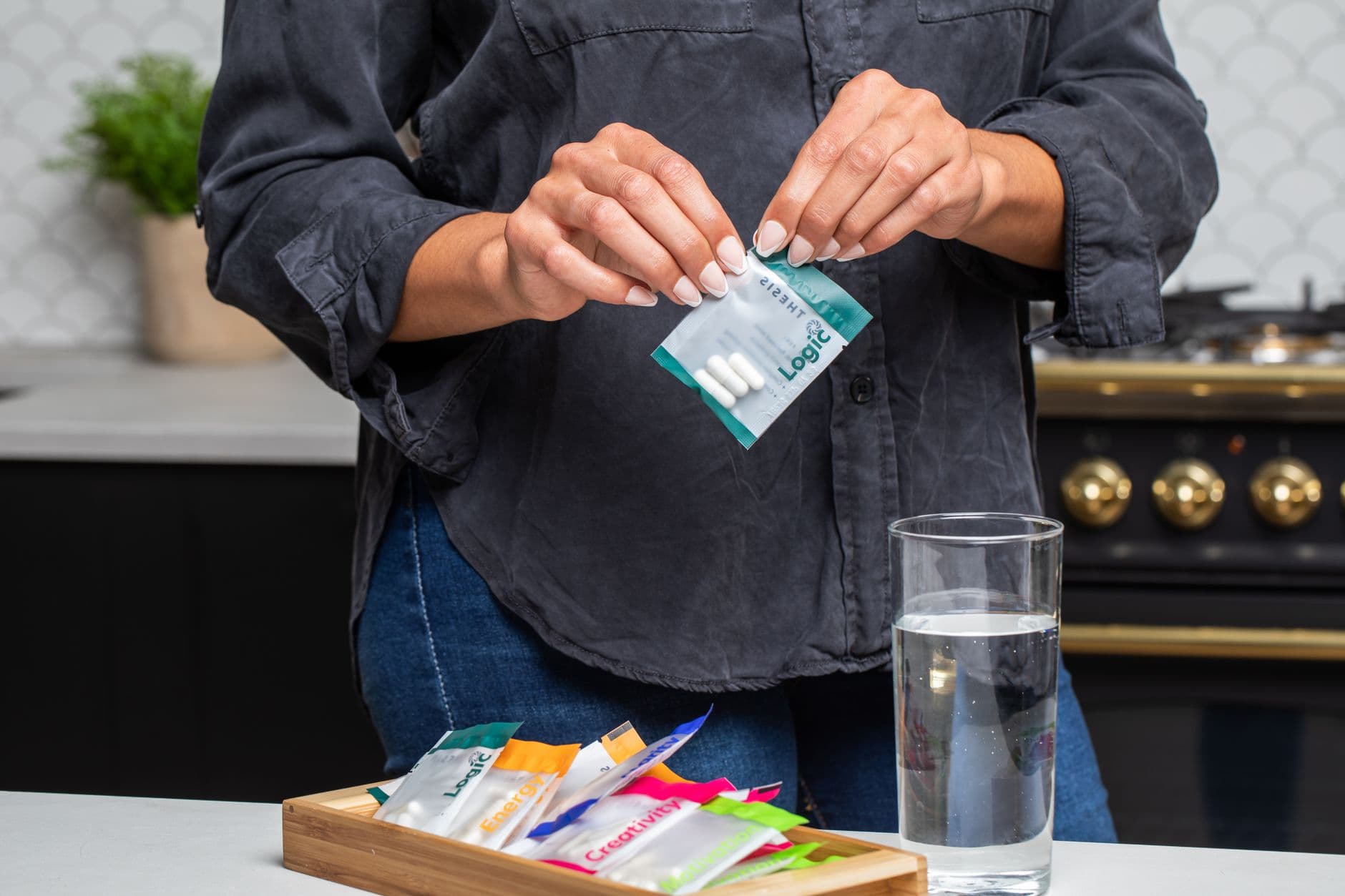
How a dose actually gets missed
Rarely by forgetting the medicine exists. Almost always by being interrupted at the one minute of the day when it was supposed to happen.
Your hands were full
You saw the notification through a pan of boiling water and thought: in a minute. There was no second prompt, and the minute turned into the evening.
The phone was in another room
Charging in the hall while you were upstairs. A notification fired on a device nobody was near, and nothing about the app tried again.
You cannot remember whether you took it
Standing in front of the cupboard at 21:00, genuinely unsure. Without a record, the safest-feeling choice and the correct choice are not obviously the same thing.
There are four boxes and they look alike
Two white boxes, similar names, different times of day. The moment of doubt is about identification, not about memory, and a line of text does not resolve it.
Built around a dose, not borrowed from a to-do list
A medication reminder in Timelee is its own kind of reminder rather than a task with a time on it. It holds the medicine's name, its type, its colour and a photo of the actual box, along with the dose per time.
The photo is the part people underrate. At 06:30, or for somebody managing four medicines for a relative, a picture of the box on the screen settles the question that a name on its own does not.
Times of day are set as a set rather than one at a time. There are Morning, Noon, Afternoon, Evening and Night presets, and you can set your own times instead. The reminder then repeats daily, on the weekdays you choose, or monthly.
- Medicine name, type, colour and a photo of the box
- Dose per time, and several times a day on one reminder
- Morning, Noon, Afternoon, Evening and Night presets, or your own times
- Repeats daily, on chosen weekdays, or monthly
Setting one up
Four steps, and the fourth one is the one that separates this from a notification you will swipe away.
Add the medicine
Name, type and colour, and a photo of the box if you have it to hand. The photo is worth the extra ten seconds, particularly if more than one person is involved.
Set the dose and the times
How many per time, and which times of day. Use the presets if your routine matches them and your own times if it does not — a dose tied to a meal is not a dose tied to a clock preset.
Set the repeat and its end
Daily, on chosen weekdays, or monthly. If it is a fixed course, end the repeat after a set number of repeats so it stops on its own rather than ringing for a month after the course finishes.
Choose how hard it should knock
This is the decision that matters. A plain alarm for something routine; a full-screen in-app call for a dose you have missed before; a real phone call for one that cannot slip.
Making it reach you at 18:00
Every control below is a separate answer to a specific way that a dose gets missed. Use the ones that match your week.
Escalate to a real phone call
Timelee's servers ring a verified number at the reminder time. It works with the phone locked and the app closed, and it does not need the phone to be in your hand.
Keep asking until it is done
The nag setting re-rings on an interval instead of once. For a dose, the unbounded settings are the useful ones: it keeps asking until the reminder is marked done.
Turn snooze off
Snooze is set per reminder, and Off is one of the options. For the dose you tend to push back four times, removing the option is the fix.
Somebody else can set it
A carer or a relative can set the reminder up and point the call at the person taking the medicine, once that person has verified their own number.
A record of what was taken
Completed reminders go to history and stay there, which answers the 21:00 question about whether this evening's dose already happened.
A heads-up first
A pre-alarm fifteen minutes ahead lets you get to the kitchen, find the box and pour a glass of water before the reminder itself arrives.
Photographing the box happens on the phone
You can create and edit a medication reminder from the web dashboard on a laptop — the medicine, the dose, the times, the repeat and the delivery channel are all there. Photographing the box, and the ringing itself, happen in the Android and iOS apps. That is the usual division in Timelee: set it up wherever it is comfortable, and the phone is what reaches you.
Where each part works
| Feature | Android | iOS | Web |
|---|---|---|---|
| Create and edit a medication reminder | Yes | Yes | Yes |
| Photograph the medicine box | Yes | Yes | Partial |
| Alarm and full-screen in-app call at dose time | Yes | Yes | No |
| Real phone call to a verified number | Yes | Yes | Yes |
| History of completed doses | Yes | Yes | Yes |
A carer setting up somebody else's routine usually does it on a laptop. The phone is what rings.
Questions about medication reminders
How do medication reminders work in Timelee?
You record the medicine's name, type, colour, a photo of the box and the dose per time, then set the times of day, using the Morning, Noon, Afternoon, Evening and Night presets or your own. The reminder repeats daily, on chosen weekdays, or monthly, and you choose how it reaches you.
Can it phone me instead of sending a notification?
Yes. Delivery goes up to a real phone call placed by Timelee's servers to a number that has been verified with a one-time code. It rings with the phone locked and the app closed, which is why it works when the phone is in another room.
Can I set this up for somebody else?
Yes. You can create the reminder and point a phone call at their number, so they do not need the app for the call to reach them. Their number has to be verified by them first, which is why the feature cannot be aimed at a stranger.
What stops it ringing after the course finishes?
The repeat's end condition. Set it to end after a number of repeats for a fixed course, or after a date, and the reminder stops on its own instead of ringing for a month after the tablets have run out.
How do I check whether a dose was taken?
Completed reminders go to history and stay there, so you can look back at a particular day rather than relying on memory.
Is Timelee a medical product?
No. Timelee is a reminder app. It does not give advice about medicines, does not check doses, and is not a substitute for the instructions from a doctor or a pharmacist. It reminds you at the times you set, in the way you choose.
Set up the dose you miss most often
Add the medicine, photograph the box, set the times, and give the one you keep missing a channel that is harder to swipe away than a banner.
Keep reading
- Sticking to a medication routineThe dose you skip is the one you were busy for.
- Phone call remindersA call that works with the phone in another room.
- Nag remindersKeeps asking until the dose is marked done.
- Best medication reminder appsWhat to look for, and who each kind suits.
- Reminders for an older relativeNo app needed at the other end.
- Remembering today's doseThe everyday job, as distinct from sticking to a long course.